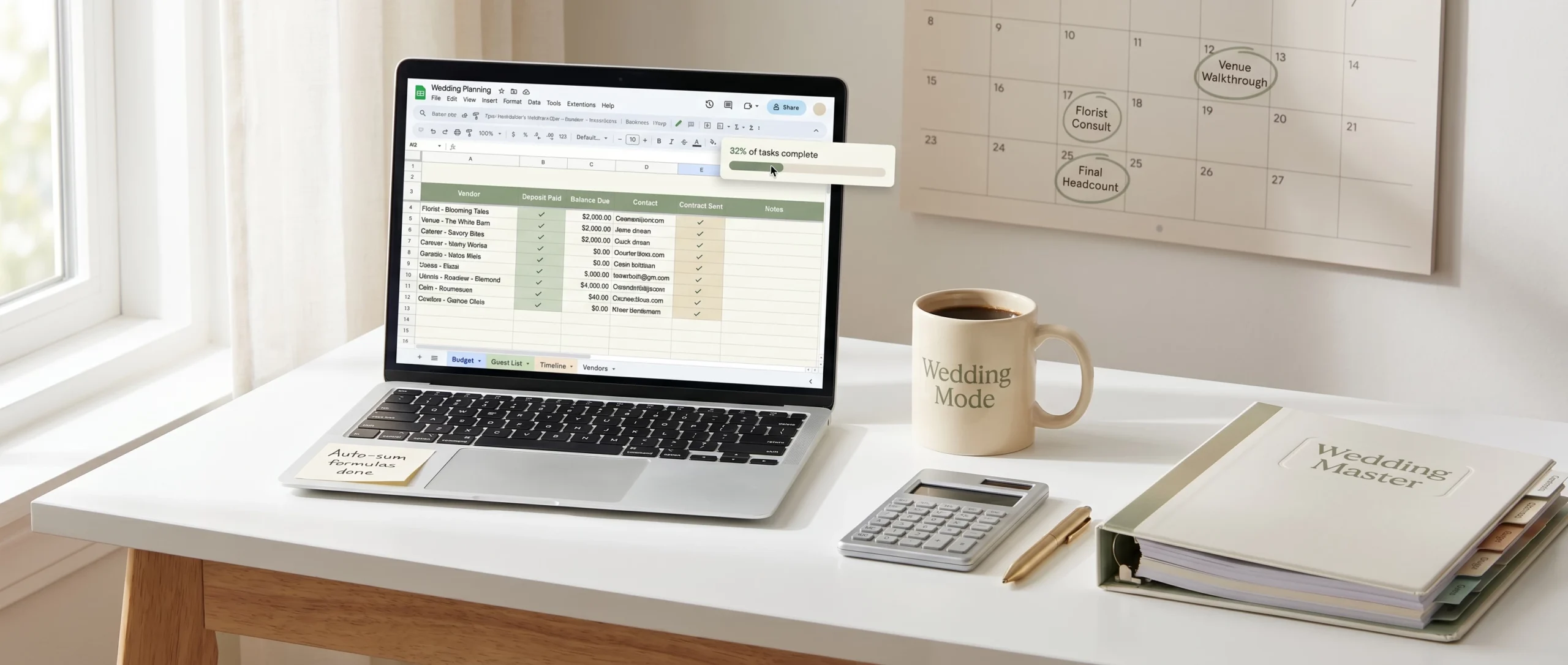
Spreadsheets divide couples into two camps: people who live in them, and people who abandon them after the first week.
The difference usually isn’t the tool — it’s the design. A wedding planning spreadsheet built for the way planning actually unfolds becomes a genuine decision-support system: you check it before saying yes to a vendor upgrade, and it tells you immediately whether you can afford it. One built in a hurry, or copied from a template that doesn’t fit your situation, becomes a chore to maintain and gets ignored by month two. This guide covers what a wedding planning spreadsheet should track, how to structure it, and what makes the difference between one that helps and one that doesn’t.
Why a Spreadsheet (and Not Just a List or an App)
Wedding apps are abundant and useful for some things — particularly checklists and vendor directories. But spreadsheets have specific advantages that make them the preferred tool for most organised planners:
- Formulas do the math. A budget tab that auto-calculates your total, tracks deposits versus balances, and shows your running remaining budget is significantly more useful than a list of amounts you total by hand every time something changes.
- You structure it your way. No app fits your exact wedding — your guest count, vendor mix, timeline and family structure. A spreadsheet adapts.
- Everything stays in one place. A single multi-tab spreadsheet holds your budget, vendor list, guest list and task list, with cross-references between them. That’s hard to replicate across three separate apps.
- It’s shareable. A Google Sheet link can be opened and edited by your partner, your coordinator and your parents simultaneously, with no one needing to create an account.
The Core Tabs Most Wedding Spreadsheets Need
A well-organised wedding spreadsheet has several distinct tracking areas, usually as separate tabs rather than one sprawling sheet.
Budget tracker
The most important tab and the one that benefits most from formulas. At minimum it should let you see:
- What you planned to spend in each category
- What you’ve actually been quoted (real vendor prices, not estimates)
- What deposits you’ve paid
- What final balances remain
- Your current total versus your original budget
The most common setup: categories in rows (venue, catering, photography, flowers, music, attire, stationery), amounts in columns (budgeted, quoted, deposit paid, balance). The difference between your budgeted row and your quoted row tells you immediately whether you’re on track. Colour coding — green for under budget, red for over — makes the status visible without reading every number.
Vendor tracker
Every vendor you’re considering or have booked should live somewhere in your spreadsheet. Useful fields: vendor name, contact name, phone, email, website, quoted price, booked (Y/N), contract signed (Y/N), deposit amount, deposit due date, final payment due date, and notes. The most important field is usually the contract-signed column — it’s easy to lose track of which of 10–15 vendors have signed agreements and which are still in negotiation.
Guest list
The guest list tab often doubles as an RSVP tracker. Beyond names and addresses, most couples track: relationship to the couple, invitation sent date, RSVP received (Y/N), attending (Y/N), meal choice, and any accessibility or dietary notes. A running-count formula at the top — total invited, total responded, total attending — saves you from counting rows manually every time a new RSVP arrives.
Task list
A task list in a spreadsheet works differently from an app. The advantage is that you can sort and filter — by due date, by owner (you versus your partner versus a parent), by status, or by category. If your to-do list currently lives in your head and scattered across text messages, bringing it into the spreadsheet alongside everything else consolidates your planning significantly.
Timeline tab — the most underused
Beyond budget and vendors, many couples benefit from a timeline tracker: a view of when each major decision or task needs to happen. Wedding planning has natural phases:
- 12+ months out: venue, photographer, date
- 9–12 months: caterer, music, officiant, florist, dress
- 6–9 months: invitations, guest list, accommodation blocks
- 3–6 months: menu, seating assignments, wedding party details
- 1–3 months: final fittings, rehearsal coordination, honeymoon prep, final payments
A tab that maps your tasks to these phases prevents the “suddenly everything is due at once” phenomenon that hits couples who didn’t build a planning timeline early.
What Separates a Working Spreadsheet From One You’ll Abandon
- It has to auto-calculate the things that matter. A budget tab that requires manual entry of totals isn’t a tracker — it’s a list. `=SUM(B2:B20)` is all it takes. Spend the first 30 minutes setting up the formulas; they pay for themselves immediately.
- It has to be fast to update. If updating the spreadsheet takes more than 60 seconds per entry, you’ll stop. Keep fields focused on what actually matters — don’t add columns you want in theory but won’t fill in.
- It has to work on your phone. Most wedding decisions happen in the middle of other things — venue tours, vendor meetings, dinner conversations. A Google Sheet on mobile means you can check your budget before saying yes to an upgrade.
- It needs a designated update time. The best spreadsheet won’t help if you only open it once a month. Most couples who stay on top of it do a 15–20 minute weekly review on a set day, updating amounts, checking deadlines and marking tasks complete.
Spreadsheet vs. Dedicated Wedding Software
Some couples prefer tools like Zola, The Knot or Joy, which offer pre-built guest-list management, RSVPs and vendor directories. Their limitations: the budget tool is usually simplified and less flexible than a custom spreadsheet, data export can be restrictive if you stop using the platform, and free tiers often come with vendor upsells that feel intrusive. Many couples use a combination — an app for guest RSVPs, a spreadsheet for budget and vendor tracking — with the spreadsheet as the financial source of truth.
Start Simply and Build as Needed
Resist the urge to build the perfect spreadsheet before you start planning. Begin with two columns: what you’re going to buy and roughly what you expect to pay. As you collect vendor quotes, add them. As you pay deposits, track them. A simple spreadsheet that gets maintained beats a complex one abandoned within the first month. The right time to add formulas and additional tabs is when you find yourself needing information the current version doesn’t give you — not in advance.
Frequently Asked Questions
Should I use Excel or Google Sheets?
Google Sheets is generally preferred for wedding planning — it’s shareable, accessible on any device, and saves automatically. If you and your partner are both working on it, real-time collaboration is significantly easier in Google Sheets.
How many tabs should my spreadsheet have?
Start with budget and vendor tracker. Add guest list and tasks when you need them. Most couples end up with 3–5 tabs. Adding more than 6–7 makes navigation unwieldy.
When should I start the spreadsheet?
As soon as your engagement is official. The first big decisions — venue and photographer — come quickly, and having somewhere to track quotes and compare vendors from the start saves significant backtracking.
What if I’m not good with spreadsheets?
Use a pre-built template with formulas already in place. The learning curve for a basic budget tracker is low — mostly data entry, not formula writing.
Can I use a spreadsheet to manage RSVPs?
Yes. A simple columns setup (name, attending Y/N, meal choice) works well for smaller guest lists. For 150+ guests, a dedicated RSVP tool or app may be easier to maintain alongside the spreadsheet.
How do I keep my partner engaged with the spreadsheet?
Share the link directly to their inbox, set up a short weekly review where you go through it together, and assign them specific tabs or sections they own — so the budget becomes a shared responsibility rather than something you maintain alone.
The Right Tool, Used Consistently
Wedding planning spreadsheets aren’t magic — they’re only as useful as the information in them. But a well-structured sheet that gets updated weekly is one of the most reliable ways to stay on top of a complex planning process without things slipping through. Pair it with the free Wedding Planning Checklist to see which milestones fall in each month of your timeline, and build your budget framework first with the wedding budget breakdown and the Total Wedding Budget Calculator.